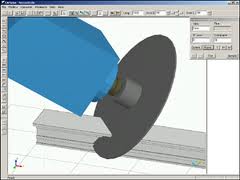
When we purchased our new machines, they came with the standard suite of Emmegi software: CamPlus, Job, Drill, and Shape. The CamPlus software makes it easy to create your machinings. The Job software is where you create the cutting information for each order you will send to the shop. The Drill software is what converts the Job information into something the Machine can use. Shape is for converting odd geometry into a machining.
The nice part of the Emmegi setup is that all the machines use the same software. So if you start off with the planet, and then purchase the quadra, you can use the same software programs. What they may not tell you is that the Job software has a text based interface. It requires a USB driver that you plug into your computer and it allows you to import text data into Job. When you go to purchase your machines, make sure you include this in the negotiations (ask about the USF or Unified Standard Format Driver). You can get it for free if you know about it up front. It will cost you about $6,000.00 if you need it later.
This driver is what you will use to connect your software like V6 to the Job software. Essentially, you will create machinings in CamPlus, name them, possibly give them parameters then reference them in your output from your software. Let’s say you have a vertical mullion. It has a notch at the bottom and some clips that need holes drilled along the sides of the vertical at different heights. You would create two LDT files in CamPlus. One would be for the notch which has a fixed position (the bottom of the vertical) and one for the two holes that need to be drilled for the clips which would have one variable which is the relative position from the bottom of the vertical. You would then create a text file from your software that would specify the part number you are fabricating, the length of the part, the bottom notch, and one entry with a dimension for each of the clips. When you import this into Job, you will see the results for the part on your screen. You can then modify it if you need to. Your output can be for one or multiple parts at the same time.
The nice part about the text file input is that if you have a little coding ability, you can create these very easily from any software. From V6, you will probably need to write some code to read the database and output the text file. But you could even do this from Excel if you wanted to. Just create a spreadsheet where you can input all of the information and then write some code to roll through each line and then create the text file from it.
If you create 3d fabrication tickets, you can also pull these into CamPlus to create your machinings. We find it easier to make individual files that can be reused but for complex parts or especially for compound miters on the Planet, pulling in the fabricated part and using that to make the programming easy is definitely the way to go. On LAX we had parts with triple compound miters on both ends of the parts. There was no way to even define the length of those parts most of the time. By creating the part in Inventor or Autocad and then just importing it into the CamPlus software we were able to create very accurate fabricated parts with no difficulty.
