Slot Machines and Kaizen

Slot Machines and Kaizen

As we begin our lean journey at Walters & Wolf, one of the things we are doing is reaching out to companies that practice lean to see what they are doing and what things we might want to adopt or avoid at our company.  It was that practice that lead our Las Vegas office to contact one of the local slot machine companies.  This company in Las Vegas has been practicing lean for over 7 years.

Nick, our COO had attended a tour here several months ago along with the other people from our Las Vegas office.  On the tour they mentioned that they hold Kaizen events every quarter.  Nick then asked if it would be possible to observe one of the events.  We were told they would let us know.  As it turns out, we were not allowed to observe an event, we would need to participate in an event.  That first event a few months ago involved three of our employees. Nick, one of our Las Vegas employees and one of our Arizona employees.

Last week, I was invited to participate in one of the quarterly Kaizen events in Las Vegas.  It was so interesting working at another company for a whole week so I thought I would give a quick overview of what I learned.

First, the structure.  Scope sheets for different projects are created ahead of time.  Months before the event 3 scope sheets are selected.  The sheets show what the current state is, what problems they are having with this process, and what the goals of the improvement will be.  For our Kaizen, we arrived at their office at 8:00 on Monday.  The first day was just training.  An overview of most of the lean tools, some practice in how to calculate Takt time, how to measure cycle time, and several other great exercises to help you with things you will probably need to do in the coming days.  There were three teams that ranged from 7 to 9 people.  The teams were very cross functional and the people had either volunteered or had been picked for the group.  Some people that were selected were necessary for the group to achieve their goal.

My team arrived in the training room at 7:00 am on Tuesday.  We set out to document the current state and validate our scope sheet and that took most of the first day.  You find yourself going out to different departments and talking to lots of people and getting input on how things “really” work.  We then put that puzzle together and started to form a view of the problem we were tackling.  On the second day, you dig into the cause.  This was an amazing experience for me because I had read about a lot of these tools but had never practiced them.  The most interesting and powerful to me was the 5 why exercises where you use this tool to find the root cause of the problem.  In most cases, people have a very hard time defining a problem.  The problem is we have no standard process.  The problem is our cut sheet should have a bar code.  These are the kinds of things you write down at first and then the Sensei or one of the managers has to reel you back in to say “No, that’s not the problem”.  It really forces you to stop stating things as solutions and begin to really find the problem.  You then have to create a very logical list of questions that get you to the root cause.

After working out the current state, defining clearly the problem we are trying to solve, gathering data about the problem and examples of things contributing to them and then using the 5 why techniques to find the root causes to those issues, you now work on the countermeasures.  What will you put in place to solve these problems?  How will you know if they get solved?  What other ideas do you have if the first solution doesn’t work?  By the third day you should have a countermeasure in place and be able to observe if the change is successful.

Each afternoon there is a “report out”.  The team leader gives an overview of the day’s progress back to the leadership of the company.  This runs from 4:00 to 5:00 and allows the rest of the department heads and upper management to help guide the process.  “Did you think of how that would effect shipping?”  “Are you sure you looked deep enough into that issue?”  “Maybe tomorrow you should go to the line and verify that?”  This helps ensure the project is moving forward correctly and that all the departments have a say.  As outsiders, we were allowed to view this process.  Typically it is just the team leader and the management along with the Sensei.

On Friday morning we gave a presentation to the company on what we found.  We gave our results, read through several of the 5 why’s and read through our 30 day follow-up.  Everyone on the team presents part of the story from the week and the audience gets to hear what they found and what countermeasures were applied.

For me, the main takeaways were as follows:

  • Man, I have a lot to learn.  If I’m going to lead lean in our company, I need to know these tools so well that I can teach others to use them properly.
  • These events really help people inside the company learn more about how all their departments operate.  You are also interacting with lots of people in your company and getting to know them better.  They really help to build synergy inside the company.
  • A structured event like this yields great results.  This company, as good as it is, still has lots of issues to work on.  But with every event (they don’t just do them at the quarters) they get a little closer to their goal.
  • Inviting outside people to participate yields a different view.  In addition to Walters & Wolf, several vendors were present.  This allows an “outsider” perspective but it also gives the vendor a view of what is happening inside their customer’s company and how they might better serve them.
  • Pay it forward.  We are so grateful for the help of companies like this that share their time and ideas with us.  We will definitely be paying that back as we start our events.
  • Make more connections.  We actually met one of the vendor companies and invited them back to our Las Vegas office for a barbecue on Friday and then toured their facility in the afternoon.  Another good connection that we may be able to learn from or share with them what we are learning.

 

Thoughts on BIM

Thoughts on BIM

One of the difficulties we’ve been facing with BIM is the best way to approach it. There are some schools of thought that everything starts with the model. You begin by modeling the work, then you derive your shop drawings, fabrication drawings and everything else from the model. I think this type of “top down” modeling would work pretty well in a field where the parts being modeled are fairly consistent and how they are used varies. So, for instance, if you were an electrician or an HVAC or Plumbing guy, or even structural steel, you have a specific kit of parts. A library of sorts that you pull from. These parts then can be placed and modeled fairly easily and even though where they are might change, the parts themselves don’t.

The problem we face is that the kit of parts changes constantly. In addition, the parts interact with each other so if one part changes, it not only impacts that particular part but usually all the parts that intersect with it. In addition, the parts are a bit in flux when you start the job. You have to design them, get them approved by the architect, then get them built by the extruder before you “really” know what the parts will look like. So in our world, if we start with a model, we will have to modify the basis of the model, not just the geometry which is easy, but the logic and the parts which is hard.

The next problem is one of detail. Most models for Mechanical/Electrical/Plumbing or Structural have to detail that trade. In our world, we need to detail all the trades. The most important thing we are doing in our model or shop drawings after showing the aesthetics of what our system will look like, is to show how we will maintain water integrity with the rest of the skin. Now we have a level of detail problem. The standard Revit model doesn’t really model caulking. So now we are creating 2d details that represent the other trades materials, flashings, membranes and caulking. Not the end of the world, but another consideration. Most architectural drawings are 80 percent plans/elevations and sections and 20 percent details. Our shop drawings are 20 percent plans elevations and sections and 80 percent details. It is a big consideration.

The final issue is getting a model to shop floor solution. While it isn’t hard to create a model for the contractor or architect, it is quite another thing to create a model that will drive your fabrication tickets and CNC process. Another consideration in the mix. So let’s examine the different software choices and their strengths and weaknesses.

Revit. This is the tool of choice for Architects. Clean and simple interface, look good and will update your drawings as you modify the model. Keeps your drawing sets coordinated. Lots of good features. We see a number of curtain wall companies using Revit for creating shop drawings and models. It is a great tool for the plans/elevations/sections part of the drawings. It is not as good with detail. It is hard to get blown up elevation drawings with dimensions. It is not a great 2d detailing tool. Some of the things that we produce (metal panels for instance) are not as easy to create. Revit is not good for fabrication tickets and information.  Also, a curtain wall can have a ton of parts and if you try to create and represent everything, Revit can have a hard time handling that much detail.

Inventor (or any of the other solid modeling platforms out there). This tool is actually a pretty good way to model. Lots of detail. Details update when you update the model. It is a good tool for metal panels and other things. Good for fabrication tickets and downstream data also. Not the best at 2d details (caulking, waterproofing, other trades) but you can just do that in Autocad after the fact. If parts change on you, you have a lot of re-work though. A good solid middle ground.

Third party programs. Things like V6, Tekla, or other programs are also a good option. Usually with these types of programs you end up with some setup required for the systems. When systems are constantly changing, this is where you will find your issues. In addition, many of them are not good at shop drawings. They can create something basic but for a major curtain wall company, the drawings need to be world class and we found the outputs less than stellar. You can get there, but there is a lot of work and it won’t be as flexible as you want. You will also need another solution for your other products (aluminum or composite panels, etc…).

Plain old Autocad. Seems boring, right? So, here’s what we’ve found. It is completely flexible. You can model anything in it and fairly easily. No it doesn’t have bi-directional detail updating and families and all the other features of some of the other software, but I can draw details for a custom system in an hour or so, get them to the architect, share them with my vendor and be off and running with no setup, no families, etc… With a ton of customization, you can make it do anything.

So here is where we are today.  We have a custom Autocad solution that we use to get from the shop drawings to the shop floor.  It’s really a combination of a database and Autocad that drives the system.  Everything is in 3d.  But we start with 2d shop drawings and then create our model from them.  This gives us the best of both worlds.  A quick way to work through design and changes to create the shop drawings efficiently and when we know what the customer wants to build we model it for the rest of the process and then provide that model back to the customer for coordination.  The only issue we have found is that by modeling everything to that level of detail, the model is very heavy.

So I’m curious what other people are doing.  What BIM solution have you settled on?  Please leave a comment and let me know!

Lean and Society

Lean and Society

I was watching a video this morning that was on Paul Akers “American Innovator” site. You can find it here: The Lean Round Table One of the interesting concepts from this video is about the idea of how Toyota sees lean. In the video, Paul describes the Toyota emblem and what it represents. The inner circle represents the individual. If you can teach and change the individual, they will improve and become better. The second circle represents their village or their community. That improved individual then goes out and improves that community. The outer circle represents the world. As the individual improves and their community improves you are actually making the world a better place.

todayandtomorrowThis may seem a bit lofty or strange, but I was putting it in context with some of the other books I’ve been reading. In Henry Ford’s book “Today and Tomorrow”, he describes how he came to the idea of doubling all his worker’s wages. It was his opinion that if the workers in his plant could make more money, then they could be one of the main customers for his product. This was a crazy idea at the time but he was set on it and proved everyone wrong. Henry Ford did double the wages of the average worker and they actually were one of the main customers for the early motor vehicles.

Ford was one of the original lean thinkers. His vision for the motor car was to give the average man the ability to enjoy his leisure time and the ability to drive out to the country and really see more of America. But to be clear, Ford didn’t just double everyone’s wages, the people in his plant helped Henry Ford double his productivity first. Ford counted on his employees to drive the innovation and continuous improvement in their plant. One piece flow and just in time? Both Ford ideas. Elimination of waste? A passion for Ford. Your Kingsford briquettes are a byproduct of his need to find a way to use the sawdust from the shop floor rather than throw it away. Ford did studies on working hours. They typical work week was 6 days back then and a lot more hours per day. He did studies on efficiency and found he could get as much production from five 8 hour days as he was from the current standard, thus freeing up more time for his workers to spend their new money. He was appalled at the state of health care at the time so he created a hospital system that would utilize his efficiency concepts and make health care affordable for his workers. The Henry Ford Health System is still and excellent example of lean in health care. His vision of the individual, the community and the world were all intertwined. He was changing the world one factory worker at a time.

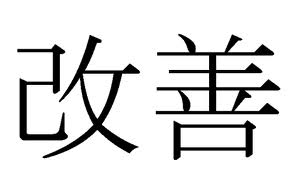
workplacemanagementIn Taiichi Ohno’s book “Workplace Management”, he talks about how at the end of World War 2, it took 5 Japanese workers to equal the output of one European worker and 12 Japanese workers to equal the output of one American worker. The desire to improve productivity and become “lean” (a term not yet invented) was driven by a need to help their community. That change had to start with the individual. The idea of Kaizen or Continuous Improvement was born from this societal need. In this video, the true meaning of the symbols that make up the word Kaizen in Japanese are described. The interesting point is that it really means “change for the better” and the root is societal change. Changing society for the better.

In our world here in the United States, most things are driven by profit. We don’t see a world view that often. We work at a company and want to make that company better so it can make more money and be successful and hopefully that will translate into economic success for each of us. But what if the goals were a bit different? What if the goal was to improve the people at your company so that your community, your society and your world could get a little better? Lean could be a way to ensure that the exterior skins of our buildings are built right here in our community. Not fabricated in some foreign land and shipped all the way across the world to be assembled in another country and finally find its way to the building next to your home. Real community participation between the workers in an area and the builders and the owners. But, the only way this can really happen is if we teach and train our people to be more productive than the cost of buying these materials from the other side of the world. Building a lean culture within your company could be the start of that change.

Your Morning Routine

Your Morning Routine

One thing I’ve come to appreciate, is my morning routine.  I was always a morning person but I was never that intentional about what I was doing each morning.  In Darren Hardy’s book “The Compound Effect” he talks about creating a morning routine.  Basketball players, golfers, baseball players all create pre-shot routines to help ensure they will perform consistently every time.  How you start your morning sets the course for the whole day.  Here is how I’ve been starting my day…

I typically start my day with stretches and crunches. I’ve had back problems off and on over the years and decided a couple of years ago to keep a consistent routine of warming up each morning.  I do stretches for about 5 minutes, another 15 minutes of crunches and another 5 minutes of stretches.  I do this religiously and haven’t missed a day in years.

Next, I do some free-form writing.  I heard about this from Farnoosh Brock on her Prolific Living podcast.  The idea is to write about 3 pages every morning.  In the morning your mind is clear and writing can help you get your thoughts together.  3 pages or 750 words is a good length to shoot for.  I use a website called www.750words.com.  This makes it easy to write each morning, tracks the length of your writing, and helps keep you consistent.

After my writing, I exercise.  I’ve found the only way I can be consistent with my exercising is doing it in the morning.  It also gets your blood flowing and gives you energy for the day.  I either do the treadmill or go out for a walk.  I target about 10,000 steps each day.  I use the fitbit device to track my steps.  Now, I also like the ida of combining my exercise with learning.  So I either read when I’m on the treadmill or listen to an audiobook while walking.  I can get through about a book every week by following this routine.  I get my cardio and I enhance my mind at the same time!

Next I spend a few minutes planning my day.  I’m currently using Trello to do my planning. Trello works like a Kanban board where you create different lanes and put your tasks on the board.  I can then review my current projects, make updates, move my priorities for the day around and get myself set for what I need to accomplish for the day.  In addition, I have the rest of my team using this software also, so it makes it easy for me to assign tasks to someone else’s board or see what they have going for the day.

After that, time to shower, grab a quick breakfast and head into the office.

This routine helps me set the course for my day.  I’ve gotten my exercise in, did some creative writing, got some reading or audio books in and planned what I need to accomplish for the day.  By the time I hit the office, all sorts of things can happen.  But no matter what, I’ve had a great morning and I’m ready for whatever the day may bring.

Training

Training

At Walters & Wolf, we’ve spent a lot of time thinking about training.  There are two main categories of training in our industry.  One is the training you receive when you first come to work at our company.  This type of training is completely the responsibility of the company you work for.  The other type of training is what you receive after your introduction to the company.  This type of training is more self-guided and helps you grow.

For the first category, we decided to create a process that we could do over and over and continually improve.  We took a simple project that we had previously completed and then built our training program around it.  So, for a new project manager, you would do the following:

  1. If the person is brand new to our industry, we will use the Gana Estimating course to give them an introduction to our industry.  We use this book as a supplement to the training since it can be a bit dry.  It has lots of good information but you need to take it a little at a time.
  2. We begin with doing a takeoff and an estimate for the project.  This teaches you how we do our estimates, where we put our data and where to find information.  It helps you understand what the standards are and as a project manager, gives you all the information you will need to find the information your estimator will create.
  3. Now that you’ve estimated the project, we do a mock kick-off meeting.  You see what to expect from this meeting, what questions you should be asking and what to look for in the documents when you get a new project.
  4. The next step is to create a schedule for the project.  One of the first things we do on a project is build our plan.  This is the best way to know what you need to do and when you need to do it.  It is also one of the main communication tools we use with our customer.  We use Microsoft Project at our office.  We go through a training program on the program, then we have you build a schedule from scratch then at the end you build a schedule using our templates.  We then use some mock scenarios to show you how to adjust your schedule if you can’t get to the customer’s start date and how to do your weekly updates.
  5. The next step is to build a cost projection for the job.  This gives you the schedule of values information, gives you a tracking method for the project costs and gives you a way to communicate your margin goals and how you are doing against each cost code.
  6. We then go through Transmittals, Submittals, Change Order Quotes and Information Approval Logs.  These are our method of communicating with the customer.  We have standard methods for all these processes and we need to give our new employee a chance to learn and practice these skills.
  7. We then review shop work orders, purchase requisitions, labor monitors and the other processes we follow to get our work coordinated with the other departments.

As you can see, the process starts with creating standard work.  One of the best tools for creating a great training program is making standard processes for each of your steps.  We have similar programs for drafting, purchasing and takeoff.  These steps help you get up and running faster and give you an introduction to all the tools we use.  Each step of the training is conducted by a different senior PM.  So, by the end of the training, not only do you have a good introduction to our process, but you’ve met and worked with almost everyone in the department.  If you have a question on schedules, you have someone to ask.  If you can’t remember something about the purchasing process, you know who to go to.  We work as a team and your other PM’s are your best resource.  We want you to ask a lot of questions and share what you are working on and not be afraid to ask for help and the training helps you build that network right away.

This initial training is a great starting point.  But as you progress in your career, it becomes necessary to keep learning.  An on-going training program is required.  Here is what we do at our company;

  1. Monthly vendor training.  Every month, we have a different vendor come in and give us a class on their product, their company or their industry.  These are typically lunch sessions that go from 12:00 – 1:30.  It’s a great way to learn about a new vendor, a section of the industry you are unfamiliar with or new products that are being introduced.  These are available to everyone.
  2. Skills training.  These classes are typically devoted to a specific skill that would be good for our employees to master.  Classes in Autocad, Revit, Inventor, Sketch-up, On Screen Takeoff, Microsoft Excel, Word or Access, our Takeoff program, etc…  We hold these types of classes about 3 times per year.  You would have one class per week for 3 – 4 weeks.
  3. Lean training.  Since this is the main company focus, you will be placed in a lean class.  Classes meet each week for one hour.  You learn about lean and with your class will participate in a 5S and a group improvement process.  You will also learn to create your own individual videos and how to upload them to the company’s youtube site.
  4. Group projects.  This was another form of training that we created.  We set up a list of projects that we would like to tackle.  We then gave the list to the team and you could sign up for something that interested you.  We had a group that built their own 3d Printer and learned how to use it.  We had a group that explored mobile technologies and how to apply them., another group was exploring the different BIM software and how we might use that.  Another group had a book club to read one of the latest business books.  Each group then reported back to the whole team and explained what they learned to help everyone in the group know more about the subject.
  5. Outside training and conferences.  These would include outside classes at the local colleges.  There is a great night program at Stanford that a number of people regularly attend.  The Autodesk University conference is a great way to grow your engineering team.  There are outside classes in Revit, Inventor and other Autodesk software that last a few days if you need a more intense approach.  Leed training is another topic we do externally.  For our more technical people there are developer conferences in jquery, DNN and ADN.  We have people in advanced lean training that learn by going to other companies and doing kaizen events and even touring factories in Japan.  These types of classes are typically requested by the employee and reviewed on an individual basis.

People are the only appreciating asset in your business.  Helping them grow and become the very best they can be should be the goal of every company.  Experience will come from their day-to-day work but training will help them grow much faster.  A great training program will help you retain great employees and reap the benefits of their new knowledge.

Summer Interns

Summer Interns

When I worked at smaller companies, we never had an internship program.  It wasn’t until I came to Walters & Wolf that I got to see what an internship was.  In the beginning, it was really just the company’s way of bringing in college students to see what we do.  The program wasn’t very intentional.  What people would work on, what types of things they would learn and how they would learn them would vary between interns and year to year.

Starting a few years ago, we decided to really tune up our internship process.  I thought it would be great to write about it because I really love what we have developed and what we have accomplished so far with this program.  If your company does not yet hire interns or if the do hire interns but your program could use some tweaking, then hopefully some of these ideas will help.

The goals of the internship at Walters & Wolf are several:

  1. Teach people about our industry.  Most people are not familiar with the glazing industry so this helps them see what our business is all about.
  2. Give them something for their resume.  They are going to graduate and need to go out and find a job.  A good internship should give them experience and accomplishments that will fill out their resume when they graduate.
  3. Teach them about our company.  We are unique.  They will undoubtedly work at other companies but we want them to see our culture and our excitement.
  4. Grow their personal and professional network.  They will meet lots of people at our company and make new friends and connections.
  5. Maybe come to work for us!  If they love our company and we love them, there could be a fit.  We are always looking for great people.

So to begin with, we started with who we wanted to hire.  If we were going to hire interns, why not hire the best we could find.  So the first thing we had to do was decide what an intern recruiting and interview process was going to look like.

For recruiting, we decided to start with the colleges that we felt would have the best applicants for our industry.  At first we started in Chico because they have a large construction management program.  But we soon decided to start recruiting from some of the great schools in the Bay Area also.  Stanford, Berkeley, Santa Clara, San Jose State all have great people who might fit into our organization.  So we have a booth that we bring to the career fairs, put ads on all the bulletin boards and see how many resumes we can get.

In a previous post, I wrote about our interview process.  We had used our recruiting efforts as an easy way to tune up our interviewing skills.  We developed a set of behavioral questions that help us see who would be the best fit.  Entry level interviews are hard because you can’t ask questions about previous work experience in your field.  So most of our questions have to do with how they would fit in with our organization.  Look at my previous post for examples.

So after screening the resumes we conduct our interviews and when that is complete we pick our top candidates.  Some years we will have one student, some years we will have 2 or more.  It just depends on who we find.  My suggestion is to get good at one then work toward more if you feel you can handle it effectively.

When it is the student’s first year with us, we follow the following program:

2 weeks in sales.  This is where things start in our company so this is where they start.  They learn how an estimate is created, they attend some of the design meetings, they will create some takeoffs and learn the process that our sales department goes through to land projects.

2 weeks in operations.  We will have them run through the same training program we give all new project managers.   They learn how to read plans, create RFI’s and submittals, price change orders and see how all of our processes work.

2 weeks in the shop.  The spend one week in Shop A fabricating stick wall and one week in Shop B fabricating Unit wall.

2 weeks in the field.  They will spend time going to different job sites and doing some actual installations.

After 8 weeks, they have a pretty good overview of what our company does and how each of the departments function.  At this point, they are ready to start their project.  We create a list of projects for them to choose from.  They can find something that peaks their interest and will help our company.

So this is the interesting part about internships.  We are all busy.  There is never enough time to tackle all the things that we should be doing.  It is hard enough to stay in front of the curve with the work you have going let alone take on more projects.  But here you have this young, bright, excited person who is willing to work at your company for 10 weeks or so during the summer.  No, they don’t know what you do.  No, they can’t run a project or sell a job.  But they can move your company forward on things you just don’t have the bandwidth to tackle.  In the process, they will learn, gain an accomplishment bullet for their resume and you can have something you didn’t have 10 weeks before.

So, what types of things?  Here is a short list of things we’ve had our interns working on in the last couple of years:

  1. Making our legacy data digital.  Creating a searchable database of older projects and their shop drawings.
  2. Going paperless.  What does it cost us currently to print all of our drawings?  What tools are available to move into the digital age?
  3. Using Autodesk Inventor.  We had heard this was a great tool for a number of things.  We did not have any internal expertise.  So, we had an intern learn the program, create some models, find the best practices and see how it might fit into our engineering process.
  4. Experiment with modeling.  BIM models of curtain walls are big.  When we model in Autocad they get hard to manage.  What methods could we use to mitigate this issue?  If you build a model in different platforms, how does it perform?
  5. Create a submittal module.  On every project we need to submit product data.  Could we build a central repository for all of this information and make the submittal process easy?  Something that everyone could update to keep it current so you don’t have to go find the data every time you start a new project.
  6. Create a warranty module.  Same idea.  We submit standard warranty data all the time.  Create a central repository for this information so the PM just has to select what they want and they get the most current warranty information, maintenance instructions, etc…
  7. Create standard engineering data.  We have taught our interns how to use Autocad and then had them build standard details, fabrication tickets, fabrication data, etc… for our systems.
  8. Advanced energy modeling.  What software is available.  How do we use it?

These are just some of the projects we have worked on in the last couple of summers.

The amazing thing about today’s youth is that they don’t think there is anything they can’t do.  They live in an age where anytime someone thinks of something they want, they just write an app to do it.  So we just give them the information and let them try to figure it out.  They have time, youth and the internet on their side.  A little instruction each day to keep things on track and they can come up with some pretty amazing solutions that would take your other employees years to do.

I’m posting this today because it is the last day for our intern program for this summer.  I really look forward to our summers and the interns we get to work with and we had 3 great people this year who really helped to move our company forward on a bunch of fronts.  I’d like to thank Eunice, James and Ryan for all their work this summer.  Creating a great intern program can be rewarding to you and the students you hire.  Hopefully this article will inspire you to give it a try!